9. Ping Test and SD-WAN Edge failover test
Let’s start ping from the Win10-A2 (10.11.1.11) to the two Linux machines VNet1-Linux1 (10.210.0.4) and VNet2-Linux1 (10.210.128.4):
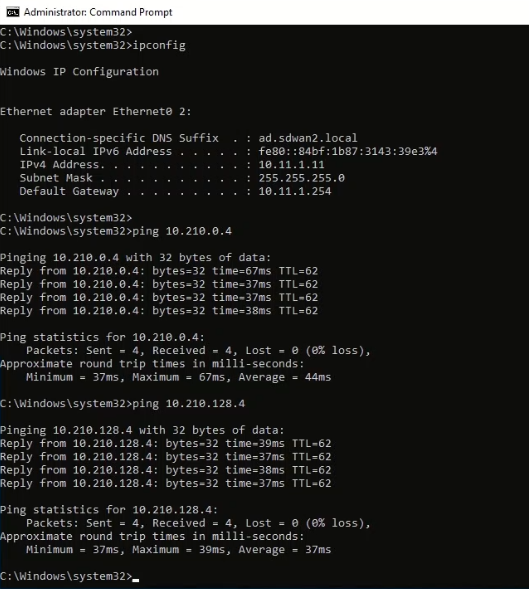
The ping test verified the Windows machine at the Spoke1 site is able to reach the virtual machine in both SG-VNET1 and SG-VNET2.
Next, let’s try a fail over test of the virtual edge. In the test, the Azure-SG-Edge1 will get powered off and will observe can the continuous ping traffic switch over to Azure-SG-Edge2:
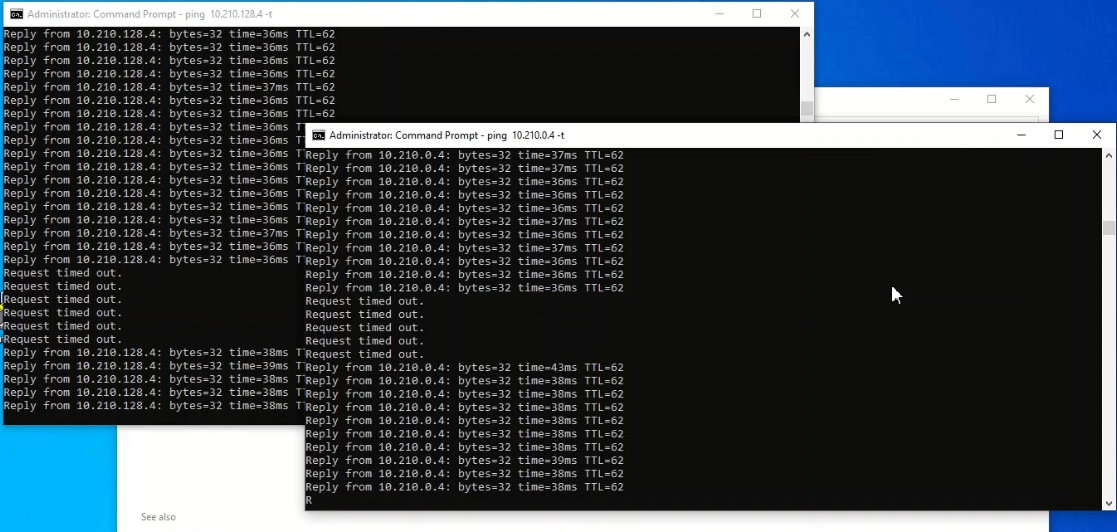
The Win10-A2 issues continuous ping to 10.210.0.4 and 10.210.128.4. The first “Request timed out” is the time Azure-SG-Edge1 gets powered off. From the above screen capture, there are about 5-6 ping loss for traffic to get resume by using Azure-SG-Edge2. The time for failover is around 30 seconds. This test confirms in the case of Azure-SG-Edge1 (the primary hub) goes down, Azure-SG-Edge2 will be able to pick up the traffic automatically.
The effective routes from VNet1-Linux1 after the failover is like this:
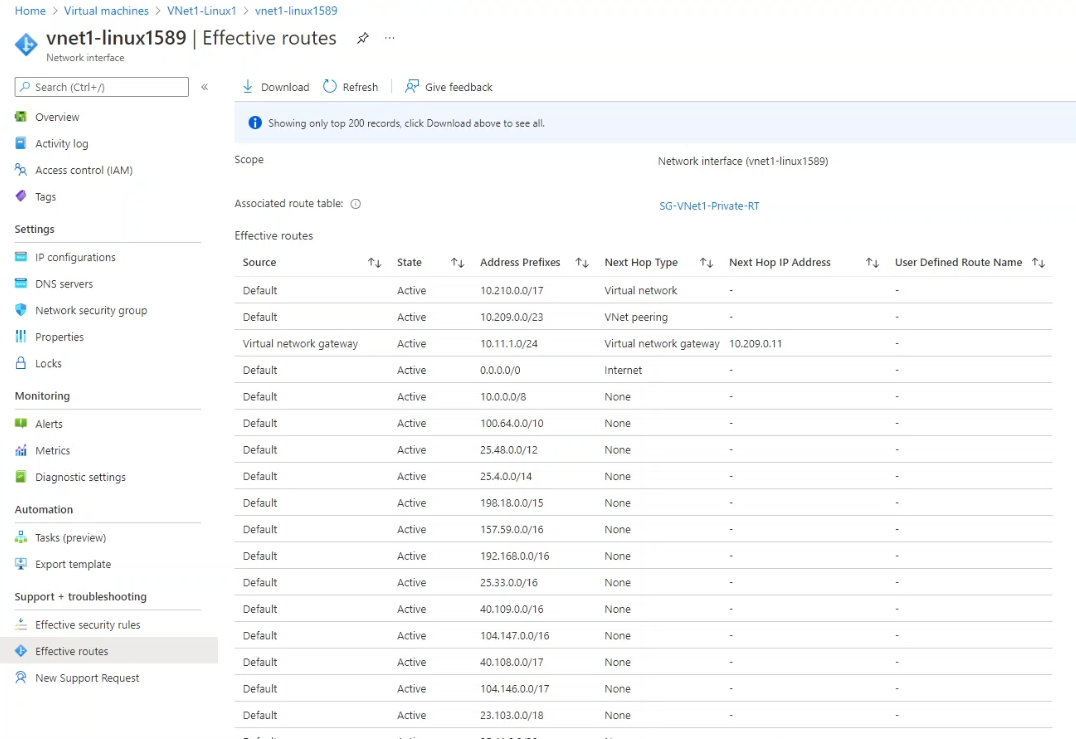
By looking at the next hop of 10.11.1.0/24, the next hop is now 10.209.0.11 (Azure-SG-Edge2) instead of 10.209.0.10 (Azure-SG-Edge1). This further confirmed the failover from Azure-SG-Edge1 to Azure-SG-Edge2 is successful.
10. Conclusion
This post demonstrates how to utilize VMware SD-WAN Edge and Azure Route Server to connect the sites with SD-WAN to multiple Azure VNets. The post ends here.